Fast charging has changed how people use phones, electric vehicles, laptops, and other battery-powered devices. A few minutes near a charger can restore hours of practical use. However, convenience may raise questions about heat, charging cycles, and long-term capacity. This article examines How Fast Charging Impacts Battery Health through real-world habits and established battery science.
Battery cells do not fail because of speed alone. Temperature, charging limits, battery age, and charger quality also matter. During a hot afternoon, a phone charging under a pillow may become noticeably warm. That trapped heat can create more stress than fast charging in a cool, ventilated room. Manufacturers commonly recommend approved chargers, suitable cables, and avoiding extreme temperatures. These details are easy to overlook.
Small choices matter.
The following seven tips explain how to charge faster without treating battery care as an afterthought. They cover heat control, charging patterns, battery protection settings, and charger selection. Evidence from battery research supports the main guidance, but results vary between devices and users. A gaming phone, an electric car, and a tablet do not experience identical stress. Some popular advice also sounds certain without enough testing. That deserves caution. The goal is not to fear fast charging. It is to understand its trade-offs, notice warning signs, and build habits that fit everyday use.
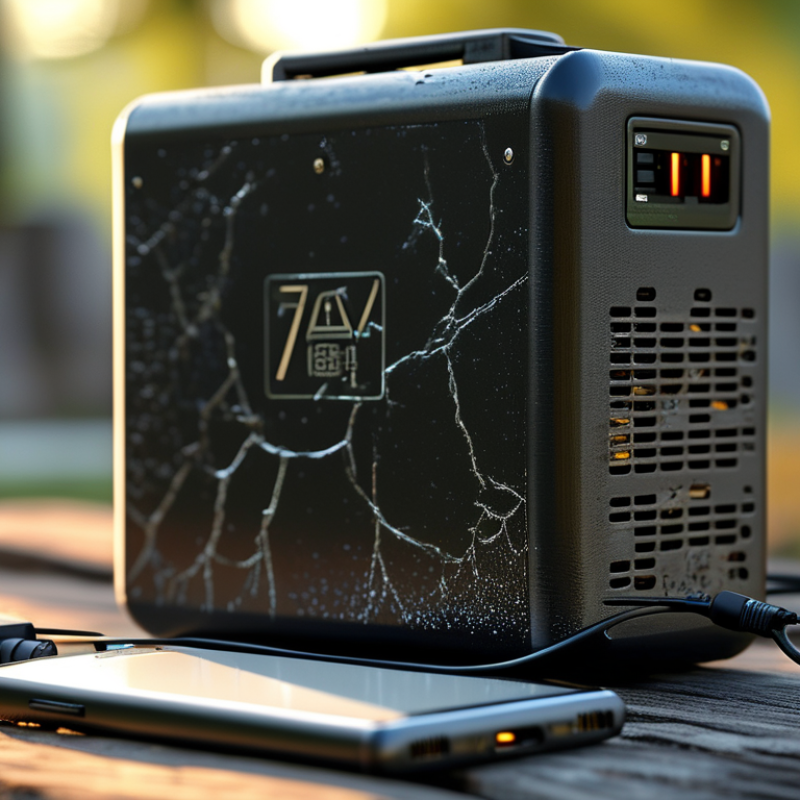
Fast charging is not simply electricity pushed harder. The charger converts alternating current into direct current, while the battery management system adjusts voltage and current. Charging usually begins with a constant-current phase, then slows during constant-voltage charging. This process saves time but creates more heat. Electrical resistance follows the I²R relationship, so a small current increase can produce much more heat. I have felt a phone become noticeably warm within minutes. That warning should not be ignored.
Use fast charging when you need it, not for every session. Avoid charging in direct sunlight or immediately after intensive use. Let the device cool first.
Keep the battery between roughly 20% and 80% for routine charging. Stop charging at 100% when practical. Use a suitable, certified charger and cable. Do not cover a warm device with fabric.
A 2024 fleet study covering more than 22,000 electric vehicles reported about 1.8% average annual battery degradation, while frequent high-power charging showed a modest additional impact. Research reviews also link high temperature, high charge levels, and repeated rapid charging with faster aging.
These figures are averages, not promises. Battery chemistry, software controls, and personal habits vary. I once treated maximum speed as automatically better. That assumption needs reconsideration. Slower charging overnight may preserve comfort, temperature, and long-term capacity.
Fast charging is convenient, but battery health depends on more than charging speed. A 2020 fleet analysis of over 6,000 electric vehicles reported average capacity loss of about 2.3% per year. Frequent high-power charging was associated with faster degradation, especially in hot climates.
The fifth effect involves charging frequency. Daily high-power sessions may increase stress more than occasional use. The sixth is cooling performance. A blocked air intake or weak thermal system can leave cells warm for longer. The seventh is charging above 80%, where many batteries slow down to reduce stress. The U.S. Department of Energy notes that temperature, charging rate, and state of charge strongly influence lithium-ion battery aging. Small details matter. A warm battery after a highway trip should cool before rapid charging. Charging below freezing deserves caution. A simple temperature check helps.
These patterns are useful, not perfect. Battery chemistry and software controls differ. I have seen drivers blame fast charging when heat and constant 100% charging were the real problems. That assumption needs testing.
A 2023 laboratory review in Nature Energy also linked high temperature and repeated fast charging with increased resistance and reduced usable capacity. Yet occasional fast charging is unlikely to ruin a healthy battery. The overlooked variable is habit.
Fast charging can shorten battery life when heat, high voltage, and frequent full charges occur together. The charging speed itself is not always the problem. Battery stress rises when the device stays hot, especially above 35°C, while charging near full capacity. In practical use, a phone under a pillow, inside a warm car, or running demanding games may lose capacity faster.
Use fast charging when time matters, but avoid treating it as the default every night. Remove thick cases if the device feels hot. Keep the phone on a hard, cool surface. Do not use damaged cables or poorly matched charging equipment. Charging from 20% to 80% usually creates less stress than repeatedly reaching 100%. However, that range is guidance, not a strict rule.
Heat matters most. Check the device after thirty minutes. If it feels unusually warm, pause demanding apps and let it cool. A slower charger can help during overnight charging. Battery protection settings may also reduce long periods at full charge. I once assumed that fast charging alone caused rapid capacity loss. That view was too simple. Usage habits, temperature, charging frequency, and battery age often work together. Even careful habits cannot stop natural chemical aging, and battery capacity will eventually decline.
7 Tips How Fast Charging Impacts Battery Health
How Charging Habits Influence Long-Term Battery Performance
Fast charging saves time, but daily habits shape battery performance more strongly. Modern charging systems reduce power when temperatures rise or the battery nears full capacity. Heat remains the main concern. Avoid charging under blankets, inside hot cars, or beside direct sunlight. A cool battery usually ages more slowly.
Use fast charging when time matters, then choose slower charging overnight. Keep the device between roughly 20% and 80% when convenient. This range reduces stress, though the 80% rule is not magic. Leaving a battery at 100% for hours can increase wear. Unplug it when practical. Do not repeatedly drain it to zero.
Use a reliable charger and undamaged cable. Cheap, poorly matched accessories may create unstable heat. Avoid gaming, video recording, or navigation during high-speed charging. The extra workload can warm the battery quickly. If the device feels hot, pause charging and remove thick insulation. A little cooling helps.
Charging habits are rarely perfect. I sometimes charge overnight because convenience wins. That choice is not automatically damaging, but frequent heat is worth noticing. Check battery temperature, charging speed, and performance over several months. Battery capacity naturally declines, even with careful use. Fast charging is one factor, not the entire story.
| Tip | Charging Habit | Effect on Battery Health | Practical Recommendation | Evidence Level |
|---|---|---|---|---|
| 1 | Use fast charging when speed matters, rather than for every charging session. | Higher charging power can increase heat and may accelerate chemical aging when exposure is frequent or prolonged. Occasional use is generally a reasonable trade-off. | Use a slower charger overnight or whenever charging time is not important. | Moderate |
| 2 | Avoid charging in hot environments or while the device is already overheating. | Heat speeds up unwanted reactions inside lithium-ion batteries and can increase long-term capacity loss. Thermal stress is often more damaging than charging speed alone. | Move the device out of direct sunlight, remove insulating coverings when safe, and allow it to cool before high-power charging. | Strong |
| 3 | Reduce the time spent at a very high state of charge. | Keeping a lithium-ion battery near full charge for long periods increases voltage-related stress and can contribute to faster aging. | Enable an optimized charging or charge-limit feature if available, especially when the device remains plugged in for many hours. | Strong |
| 4 | Do not routinely drain the battery to near zero. | Deep discharges place greater stress on the cell and may shorten its useful life when repeated. Modern lithium-ion batteries do not require regular full discharge. | Recharge when convenient, ideally before the battery becomes critically low. | Strong |
| 5 | Avoid intensive gaming, video recording, or navigation during fast charging when possible. | Charging and heavy processing can generate heat at the same time. Higher internal temperature can cause the device to reduce charging power and may increase aging stress. | Let the device charge with demanding applications closed or minimized. | Moderate |
| 6 | Use a compatible, safety-certified charger and cable. | Proper charging equipment helps maintain the intended voltage, current, and temperature controls. Poor-quality or damaged accessories may create safety risks and unreliable charging behavior. | Replace frayed cables, swollen batteries, or unusually hot charging accessories, and follow the device maker’s charging specifications. | Strong |
| 7 | Think in partial charges instead of waiting for a complete charge cycle. | A charge cycle is based on cumulative energy used, not the number of times the cable is connected. Partial charging does not inherently harm a modern lithium-ion battery. | Charge in short sessions when useful, while prioritizing moderate temperatures and avoiding extended periods at very high charge levels. | Strong |
Key takeaway: Fast charging is not automatically harmful. Long-term battery performance is influenced by the combination of charging power, temperature, time spent at high charge levels, discharge depth, and the battery’s overall age.
Fast charging does not automatically ruin a battery. Heat, charging time, and high battery levels usually matter more. A phone charging from 20% to 70% creates less stress than sitting at 100% for hours.
Tip 1: Keep the device cool. Remove thick cases during demanding charging sessions, and avoid direct sunlight or soft bedding.
Tip 2: Use a suitable charger and undamaged cable. Cheap or damaged accessories may produce unstable power and extra heat. Stop charging if the connector feels unusually hot. Avoid heavy gaming, video recording, or navigation while fast charging. These activities add heat from both the battery and processor. A cooler battery generally ages more slowly.
Tip 3: Use slower charging when speed is unnecessary. Overnight, a lower-power charger can be a practical choice, provided the equipment is safe and reliable. Many devices offer battery-protection settings that pause charging near full capacity. Enable them if available. Still, do not obsess over keeping the battery between perfect percentages. I once treated every charge as a technical test, which was inconvenient and not especially useful. Watch real signs instead: faster draining, unexpected shutdowns, swelling, or unusual warmth deserve professional inspection. Battery health varies with climate, workload, and age, so one habit cannot prevent every decline.
: The charger converts alternating current into direct current. The battery system adjusts voltage and current during charging. Charging starts quickly, then slows near full capacity.
Electrical resistance increases heat according to the I²R relationship. A small current increase can produce much more heat. The phone may feel warm within minutes.
Occasional use is unlikely to cause serious damage. Frequent high-power charging may increase long-term battery stress. The risk depends on temperature, battery chemistry, and charging habits.
Avoid it in direct sunlight or after intensive device use. Let the device cool first. A warm battery should not be rushed.
Keeping the battery roughly between 20% and 80% can reduce stress. Stopping at 100% is practical when possible. This is guidance, not a strict rule.
Rapid charging at low temperatures may encourage lithium plating inside cells. That can reduce usable capacity and increase resistance. Temperature matters greatly.
Charging often slows above 80% to reduce battery stress. Repeated high charge levels may accelerate aging. A full charge is sometimes necessary.
Blocked air intakes can keep cells warm longer. Do not cover a warm device with fabric. Cooling performance is easy to overlook.
One large vehicle study reported about 1.8% average annual degradation. Another fleet analysis reported roughly 2.3% yearly capacity loss. These are averages, not promises.
Slower charging may reduce heat and support more comfortable routine use. Still, charging habits matter more than speed alone. I once assumed maximum speed was automatically better. That needs reconsideration.
How Fast Charging Impacts Battery Health depends on heat, charging speed, battery chemistry, and daily usage patterns. Fast charging sends more power into the battery in less time, which can create additional heat and electrical stress. Occasional use is generally manageable, but frequent high-temperature charging, charging from very low levels, or keeping the battery at full capacity for long periods may gradually reduce capacity and shorten its useful lifespan. As the battery ages, users may notice faster percentage drops, slower performance, or reduced time between charges.
Charging habits play an important role in long-term battery performance. To protect battery health, use fast charging when convenience is important, but choose slower charging during overnight or routine charging whenever possible. Keep the device in a cool, well-ventilated place, avoid demanding applications while charging, and unplug it after reaching a suitable level instead of leaving it fully charged for extended periods. Following these practical steps can help balance charging speed with reliable battery longevity.

UX Power